Nothing beats the convenience of controlling all your living room entertainment through your television's original remote. If you own a modern Samsung, LG, Sony, TCL, Philips, or Hisense television, learning how to install IPTV on Smart TV allows you to enjoy live broadcasts, sports events, and on-demand movies directly through your television's native app store—without needing external set-top boxes or trailing HDMI cables.
In this complete setup guide, we walk you through the installation process across all major television brands, explain how to upload your playlist credentials through web portals, and share essential troubleshooting tips for optimal viewing.
Supported Smart TV Brands & Operating Systems
Because different television manufacturers utilize distinct operating systems, the installation method varies slightly depending on your TV brand:
- Samsung Smart TVs (Tizen OS): Models manufactured from 2017 onwards feature native app stores hosting IBO Player, IPTV Smarters Pro, Smart IPTV (SIPTV), and Nanomid.
- LG Smart TVs (webOS): Modern webOS TVs provide access to IBO Player, IPTV Smarters, SS IPTV, and Smart STB via the official LG Content Store.
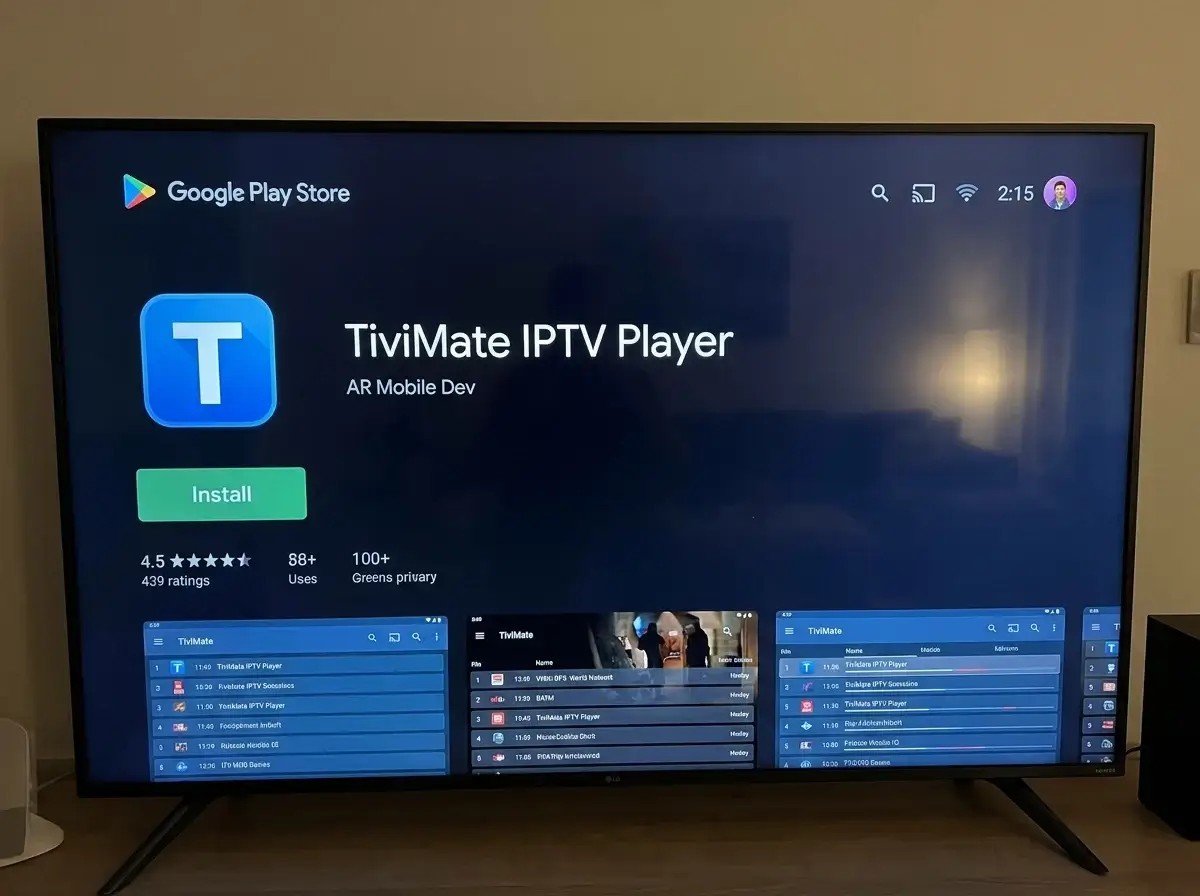
- Android TV & Google TV (Sony, TCL, Philips, Hisense): Provide full direct access to the Google Play Store, supporting TiviMate, IPTV Smarters Pro, and XCIPTV. Check our platform overview on IPTV on Smart TV in Ireland.
Method 1: Setting Up IBO Player (Samsung & LG TVs)
IBO Player is widely considered the top native app for Samsung and LG displays because of its fast loading times and simple web-based setup process:
- Open the Samsung Apps Store or LG Content Store on your television.
- Search for IBO Player and install the application.
- Launch the app. On the initial setup screen, your television will display two unique identifiers: your Device MAC Address and your Device Key. Leave this screen open.
- On your smartphone, tablet, or laptop, open your web browser and visit the official activation portal:
iboplayer.com/device/login. - Enter the Device MAC and Device Key displayed on your TV screen to log in.
- Click Add Playlist (or "Add XC Playlist").
- Enter your playlist details provided by your IPTV provider (or from an IPTV Ireland free trial):
- Playlist Name: e.g., "My Home IPTV"
- Server URL / Host: http://line.provider-domain.com:80
- Username & Password: Your personal account credentials
- Click Save. Return to your television and press Reload on your remote. Your channel categories, live guide, and movies will populate immediately.
Having trouble uploading your playlist to your Smart TV app? Chat with us on WhatsApp at +44 7853 146902 for fast setup assistance.
Method 2: Setting Up IPTV Smarters Pro (Direct Login)
If you prefer typing your credentials directly on your TV without visiting an external website, IPTV Smarters Pro is the ideal choice:
- Search for IPTV Smarters Pro in your TV app store and click install.
- Open the app and accept the standard terms of service.
- Select Login with Xtream Codes API (do not choose M3U, as Xtream Codes provides faster loading and automated EPG syncing).
- Fill in the four fields on screen:
- Any Name: e.g., My TV
- Username: Your account username
- Password: Your account password
- Server URL: The full server address supplied by your provider
- Click Add User. The application will connect to the server, download your channels (including all Irish IPTV channels), and load your video-on-demand library.
Essential Smart TV Tweaks for Buffer-Free Viewing
Smart TV processors have limited resources compared to dedicated streaming sticks. Use these tips to ensure smooth playback during fast-moving IPTV sports events in Ireland:
- Connect via Wired Ethernet: Wi-Fi receivers built into modern ultra-thin televisions are often small and prone to interference. Connecting an Ethernet cable directly from your router ensures stable throughput.
- Clear App Cache Periodically: In your TV system settings (e.g., Samsung Settings > Support > Device Care > Manage Storage), clear the cache of your IPTV app every few weeks to prevent memory bottlenecks.
- Close Background Television Apps: Running apps like Netflix or YouTube in the background consumes system RAM. Fully exit other streaming apps before launching your IPTV player.
Frequently Asked Questions
Do I need to pay for Smart TV IPTV apps?
Most Smart TV player apps (like IBO Player or Smart IPTV) provide a 7-day free trial. After the trial ends, a small one-time activation fee (around €6 to €8) permanently unlocks the player on that specific TV. IPTV Smarters often provides a fully functional free version.
What if my TV does not have IBO Player or Smarters in the store?
If your Smart TV is an older model or runs a locked-down proprietary interface (such as older Panasonic or Toshiba models), adding an affordable Amazon streaming device is the best solution. Read our guide on IPTV for Firestick in Ireland.
Can I watch in 4K on my Smart TV?
Yes, provided your TV has a native 4K panel and your broadband connection is at least 35 Mbps. Read our detailed guide on IPTV 4K in Ireland for optimal display settings.
Conclusion
Installing IPTV on a Smart TV is the cleanest and most convenient way to enjoy modern television in an Irish home. By downloading a proven native player like IBO Player or IPTV Smarters and following our simple web-portal setup guide, you can eliminate cable boxes and enjoy hundreds of high-definition channels with your standard TV remote.
Have questions about Smart TV compatibility or playlist activation? You can contact us directly on WhatsApp at +44 7853 146902.